Claritad Product
Your account. Your budget. Your control.
You own your Google Ads account and pay Google directly for clicks. Claritad uses separate manager access for Managed work; customer audit connections remain read-only in operation.
Google connection, explained
You sign in with Google yourself. Claritad never asks for your Google password. The connection requests Google Ads permission, not Gmail access. Google’s permission screen is broad; the way Claritad uses customer connections is restricted to reads.
Managed access is different
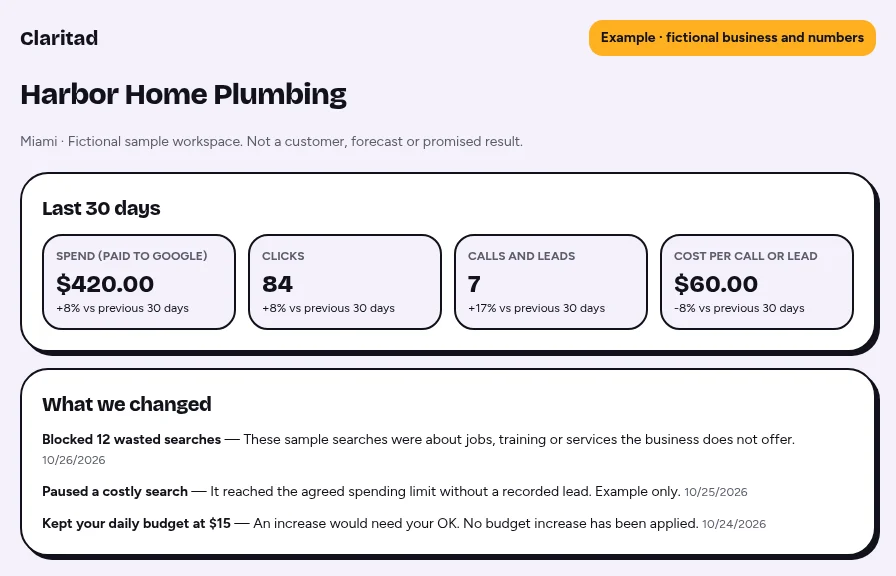
For Managed, Claritad’s manager account can prepare and manage your ads under the account’s controls. This does not transfer ownership. You approve the plan, budget increases require your OK, and applied changes are recorded with reasons.
Private workspace records
Claritad stores application records in Lovable Cloud. Customer Google tokens are encrypted at rest and remain server-only. Server checks resolve the signed-in user’s workspace before returning private account data. We do not publish client data as product screenshots.
Direct billing and safety stops
Your payment method for ad clicks is entered in Google Ads. Claritad does not see that card. If Google billing fails, ads are held and you receive a payment guide. Other safety stops, such as excess spending or disapproved ads, are checked separately.
Leave without losing your account
You can remove manager access in Google Ads and disconnect a customer connection in Claritad. Cancel the subscription through Billing when appropriate. Account history stays in Google; removing access does not undo earlier charges or delete every stored record.
See your free Google Ads plan
Start with your website and service area. See your preview before sharing your email.
Get your free Google Ads plan
See sample searches, an ad and a budget for your business in seconds. No login, no card.